GIMP
GIMP is a free, open-source raster image editor for photo retouching and graphic work. This page covers version 3.2.6 for Windows.
Windows
Open source

Photoscape is a free all-in-one photo program for Windows with a viewer, editor, batch editor, page and collage maker and GIF animator.
The installer also offers Google Toolbar — uncheck it during installation if you don’t need it.
Average 0.0 · ratings: 0
Thank you! Your rating is saved; you can change it. Could not save the rating. Please try again later. Too many ratings from your network today. Please try again tomorrow. The average appears after 5 ratings.
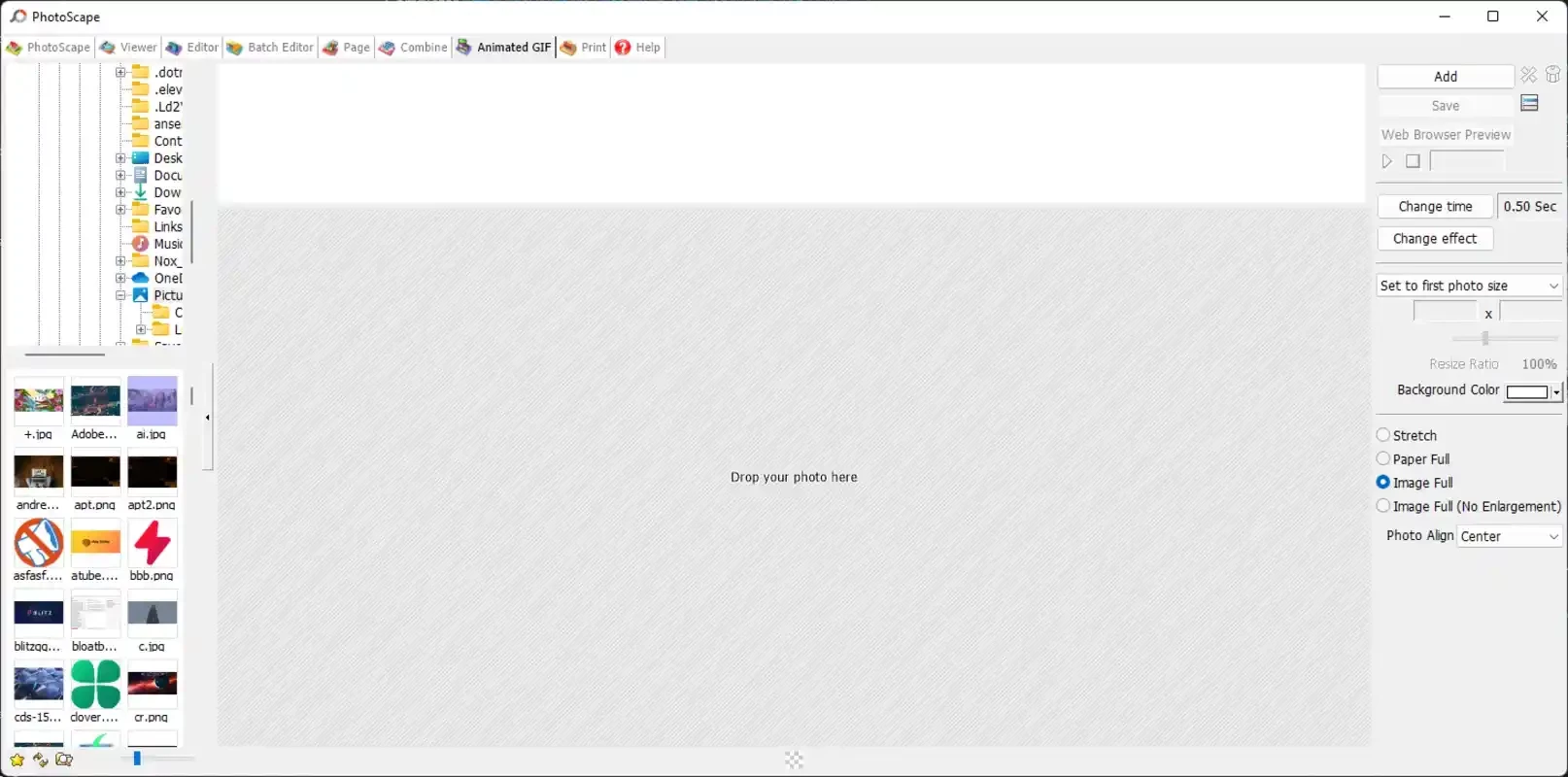
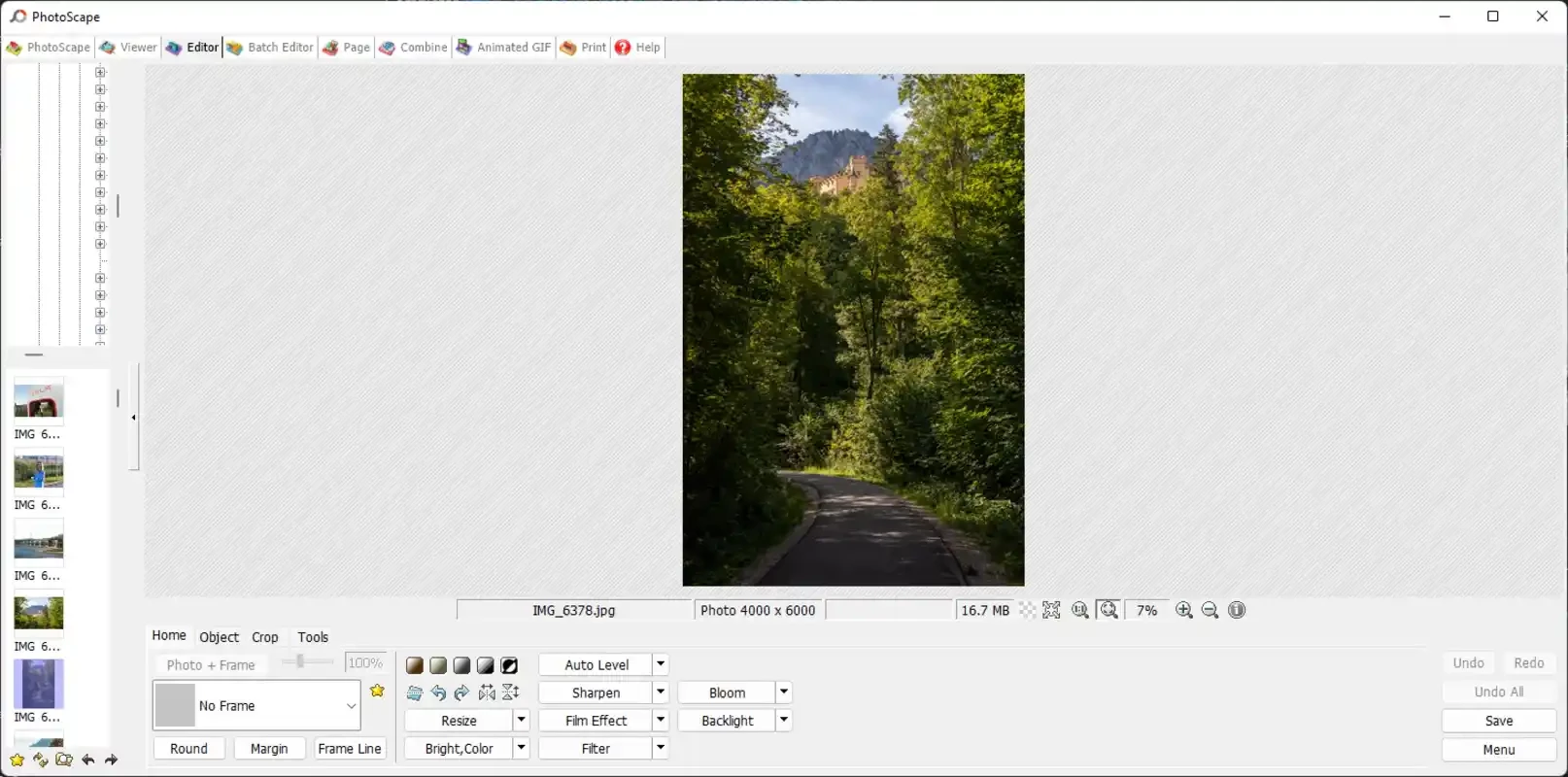
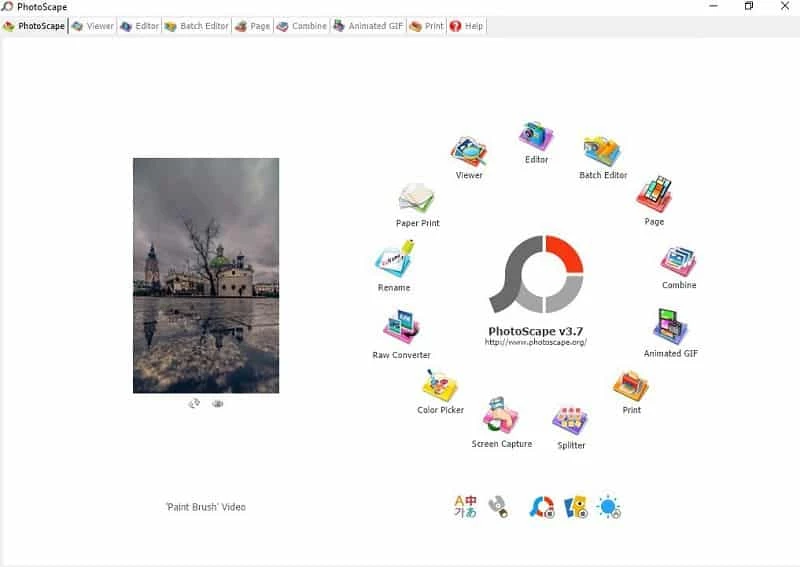
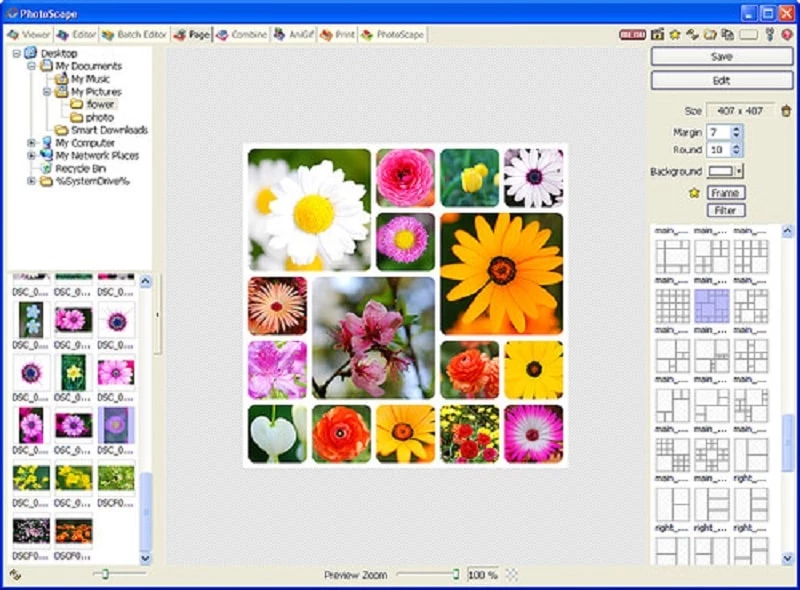
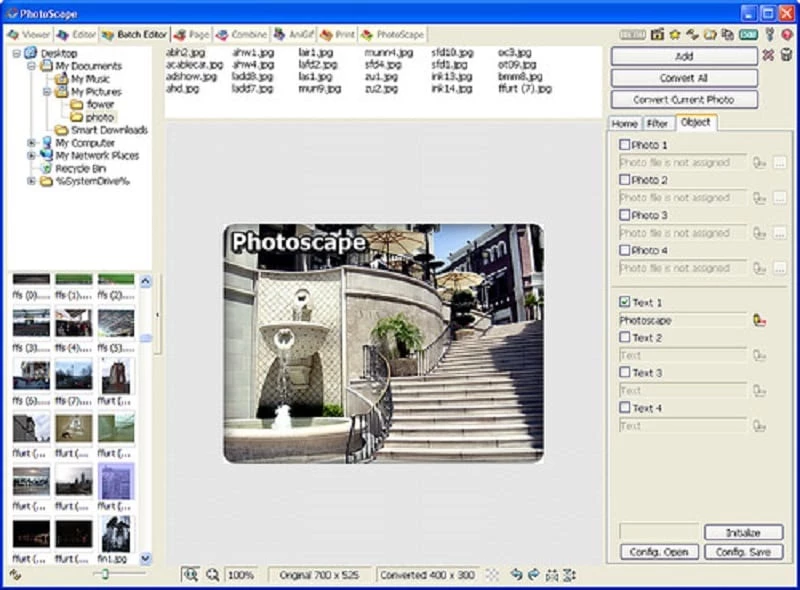
Photoscape 3.7 is a free photo editing program for Windows from Photoscape.org that bundles a viewer, an editor, batch processing, collages and a GIF maker in one window. You can download Photoscape from the official site if you want simple, friendly tools for everyday photos without a steep learning curve.
Photoscape appeared on 28 May 2008 and gained a large following among home users who found Photoshop too complex and Paint too limited. Its start screen is a ring of large icons, each opening a separate tool. The Viewer browses folders of photos. The Editor handles the usual jobs: cropping, resizing, brightness and colour, backlight correction, red-eye removal, sharpening, frames, text balloons and a set of filters. Batch Editor applies the same changes to many photos at once, which is handy for resizing a holiday album or adding a watermark. Page and Combine put several pictures on one sheet, for collages or print layouts, and Animated GIF builds a simple animation from a series of images. There are also a raw converter, a screen capture tool, a colour picker and a tool for splitting one photo into several pieces. Version 3.7, released on 11 September 2014, is the last release of this classic edition; the program is dated, but it still does its job for basic editing on Windows.
The version history lists changes in each release.
Photoscape runs on Windows and needs very little: the installer is about 20.05 MB according to catalogue data, and the program works well on older PCs.
Photoscape is a good fit for people who edit family photos, prepare pictures for a blog or a small shop, or print collages for school projects. Users who need layers, masks, colour management or regular updates should look at more modern editors, but for light work on an older PC it remains practical.
Download from photoscape.org only. Because the classic edition is no longer updated, avoid opening images from untrusted sources with it and keep your system and antivirus up to date.
Photoscape is freeware for personal use.
For advanced editing with layers, GIMP is free on our site. Paint and Microsoft Designer cover quick edits and templates, Resize Image handles batch resizing, and Adobe Lightroom Classic suits large photo libraries.
GIMP is a free, open-source raster image editor for photo retouching and graphic work. This page covers version 3.2.6 for Windows.

Adobe Photoshop is the raster graphics editor from Adobe for photo retouching and image editing. Version 2026 27.10 installs as a trial on Windows.

Adobe Illustrator Online refers to using Adobe's vector design tool through the browser and Adobe's web services, with an Adobe account and plan.
Adobe Illustrator is Adobe's vector graphics editor for logos, illustrations and print design. This page covers Illustrator CC 2026, version 30.8, for Windows.

PicWish is an AI photo editing app for Windows that removes backgrounds, cleans up images and prepares product photos with a few clicks.

PixelLab is an Android app from App Holdings for adding text, stickers and effects to photos; on a Windows PC it runs through an Android emulator.
Adobe Photoshop CS6 is an older perpetual-licence version of Adobe's image editor for Windows; Adobe no longer sells or updates it, and today's Photoshop is subscription-based.